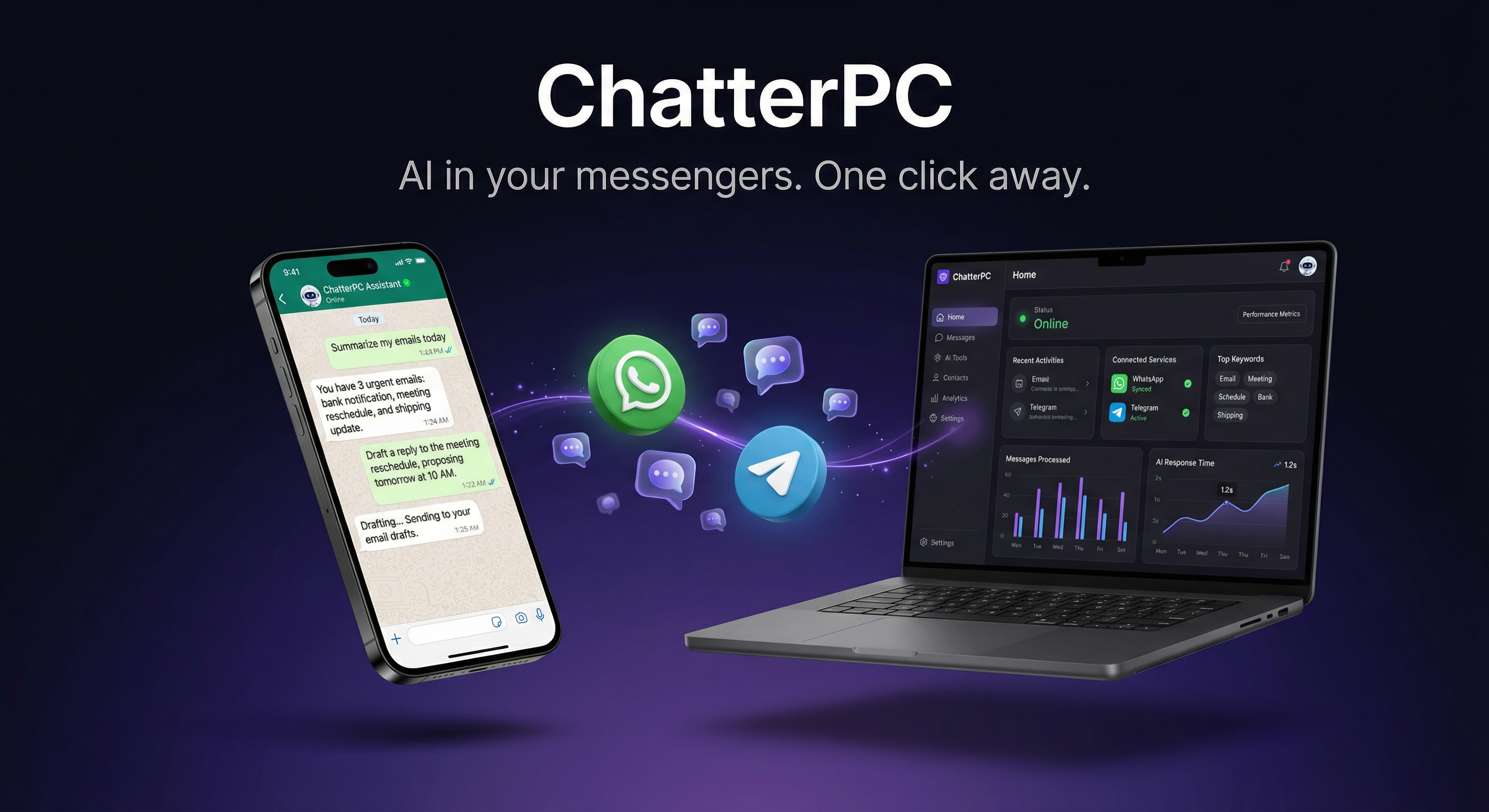
Not just a chatbot
Send a message in WhatsApp. Your PC does the rest. Research, scheduling, file management, automation — all from your chat.
“Find me the best flights to Lisbon in March.” It browses the web, compares options, and sends you a summary. No tabs required.
“Remind me to call the dentist at 3pm.” It manages your schedule, sends reminders, and never forgets. You will.
“Draft a reply to that invoice email.” It reads your inbox, drafts responses, and waits for your OK before sending.
“Find that PDF from last week and send it to me.” It searches your files, creates documents, organizes your stuff.
“Turn off the living room lights.” Connect to your smart home and control devices from any messenger.
Extend with plugins. Monitor stocks, track packages, automate workflows. If you can script it, your AI can do it.
Setup in 60 seconds
No terminal. No config files. No Docker. If you can install Spotify, you can install ChatterPC.
One click. Takes about 60 seconds. Works on any Windows 10/11 PC.
Scan the WhatsApp QR or link your Telegram bot. Done in 10 seconds.
Send a message. Your AI employee is live — researching, scheduling, managing files. 24/7.
See for yourself
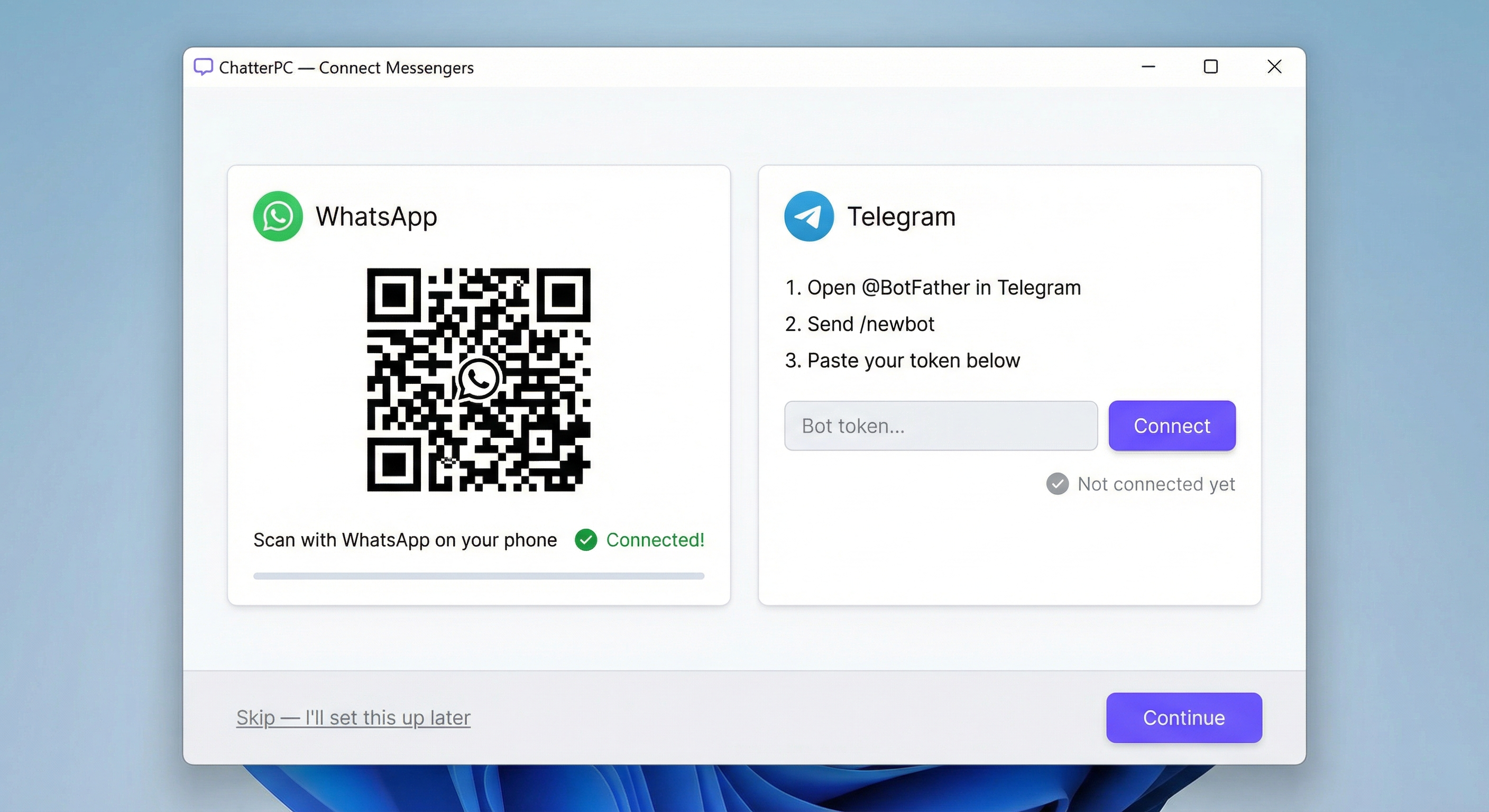
Designed for Windows
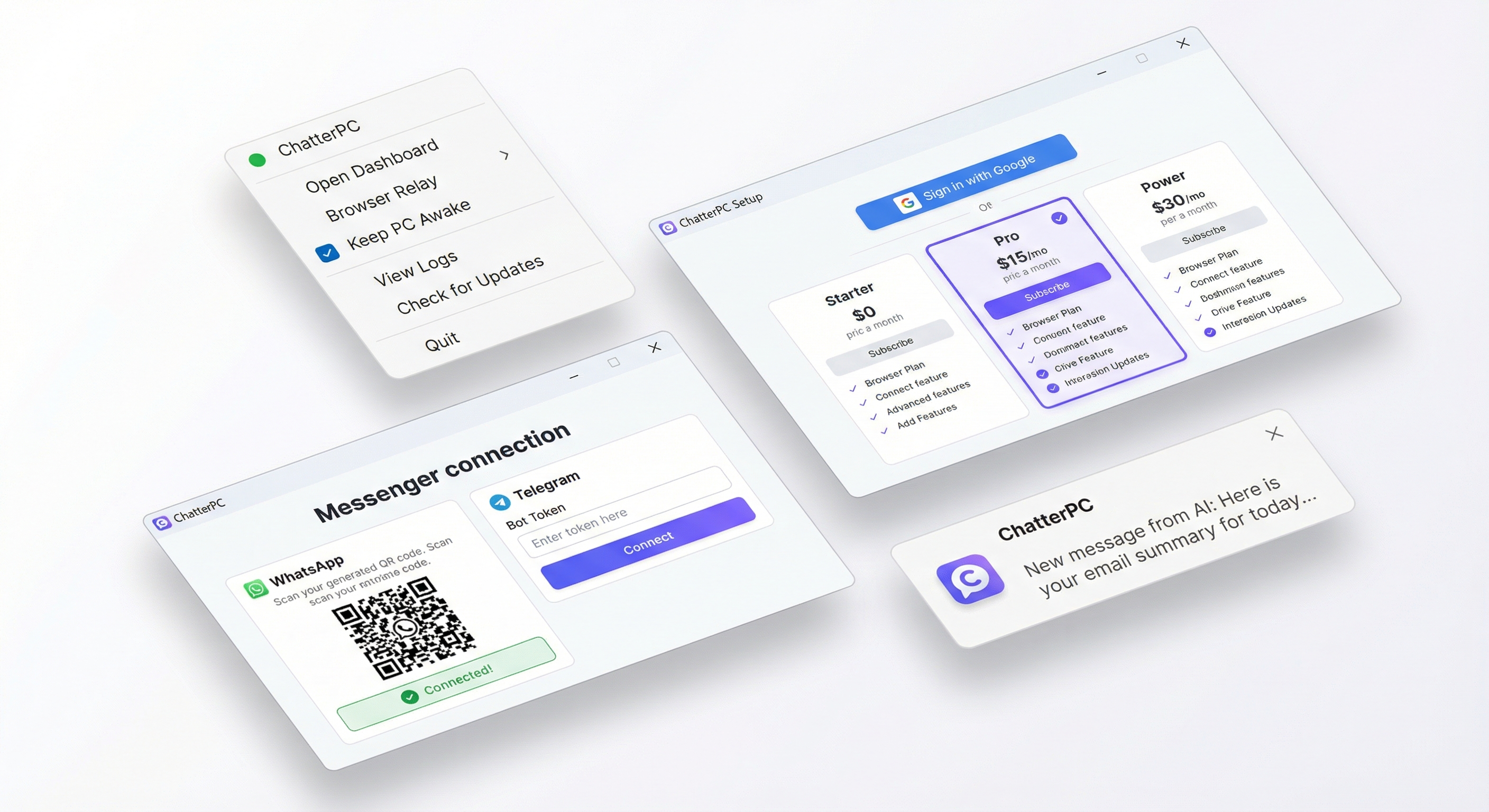
Tray menu, onboarding wizard, messenger connection, and native Windows notifications. Runs silently in the background.
Where you already are
WhatsApp, Telegram, Discord, Signal, iMessage. Talk to your AI wherever you talk to everyone else.
Scan QR, start chatting. Your AI lives right next to your family group chats. No app to install on your phone.
Create a bot in 30 seconds. Rich formatting, inline buttons, file sharing — Telegram is a power user's dream.
Discord servers, Signal chats, even iMessage. Connect multiple messengers at once. Your AI responds everywhere.
Privacy first
ChatterPC runs on your PC. Your conversations, your files, your schedule — none of it touches our servers. Ever.
Use cloud AI models for convenience, or run fully local with open-source models on your own GPU — no subscription required, no cloud dependency, zero data leaves your machine.
No training on your data. No paid plan required for local setups.
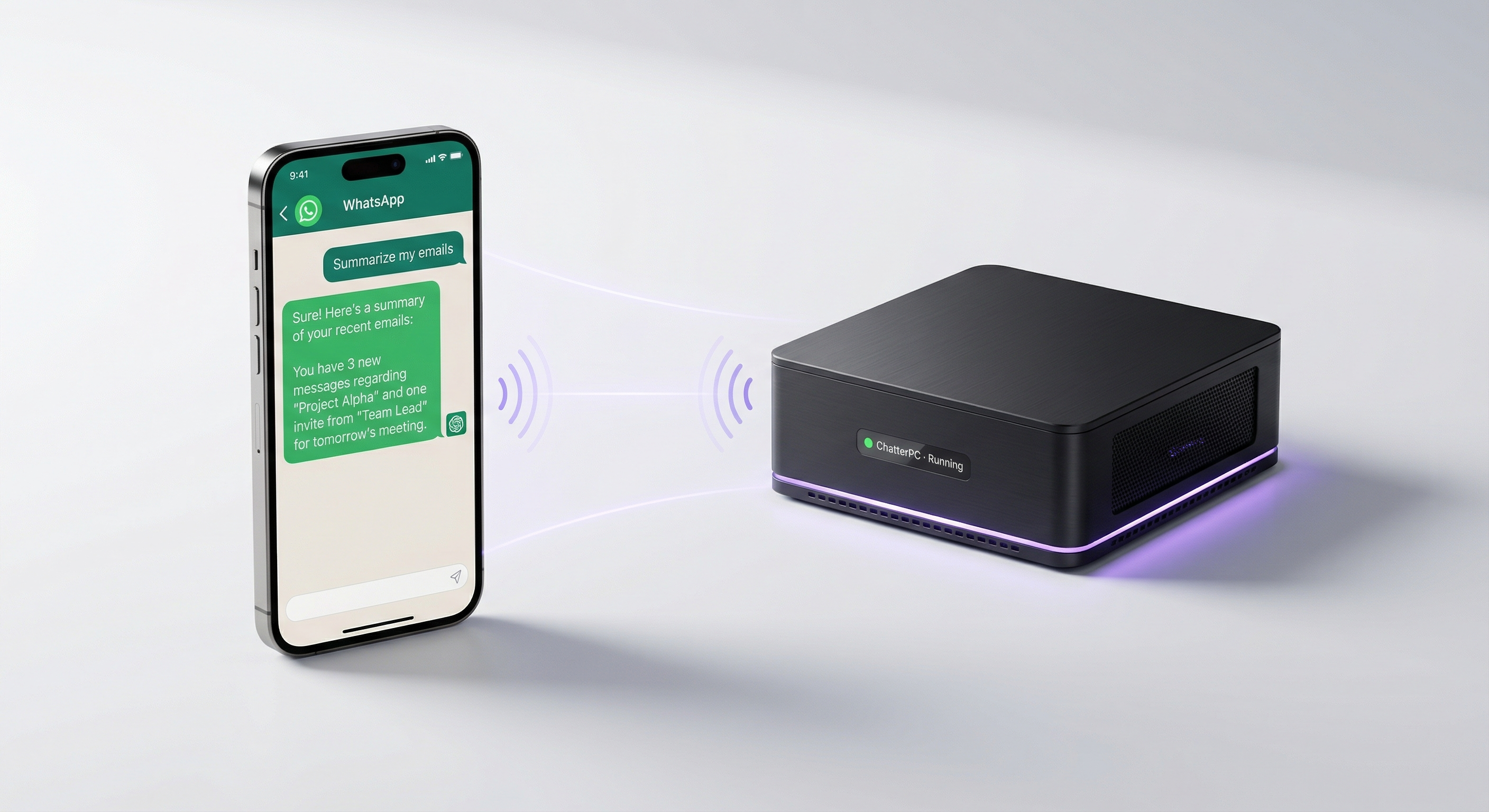
Any Windows PC
That ThinkPad collecting dust. The mini PC under your desk. Your gaming rig when you are not gaming. Any Windows PC becomes a 24/7 AI employee that never sleeps, never complains, and never takes a day off.
See our reference builds →Pre-built agentic PCs for local AI — starting at $300
Real users, real stories
“Installed it on my old ThinkPad that was literally collecting dust. 10 minutes later I had an AI assistant in WhatsApp. My wife thinks I am a genius now.”
“I run a small agency and we all share one ChatterPC box in the office. Everyone uses it through Telegram — scheduling, research, writing. Saves us hours every day.”
“Finally something that works without me fighting Docker and YAML files. Just clicked install, scanned QR, done. This is how AI should be for normal people.”
“Asked it to research competitors and draft a report. 20 minutes later, a full analysis landed in my WhatsApp. I would have spent a whole afternoon on that.”
“My dad is 67 and barely uses email. Set up ChatterPC on his laptop — now he messages his AI on WhatsApp to check weather, translate things, even write birthday cards. He loves it.”
“Runs local Llama on my 3090 — zero subscription, zero cloud. It browses the web, manages my calendar, drafts emails. Like having a PA that never sleeps.”
Get started today
Got an old laptop collecting dust? A desktop that is on anyway? Install ChatterPC, pick a plan, and your AI employee is live in 60 seconds. Close the lid, walk away — it runs 24/7.
Run everything locally — no cloud, no monthly fees. Build a GPU-powered PC with local inference. We have reference builds starting at $300.
No hidden fees
Every plan includes a free trial. Cancel anytime. Or run free forever with your own local model.
FAQ
A Windows 10 or 11 PC with an internet connection. That is it. No special hardware, no GPU required. Even an old laptop works. Install takes 60 seconds.
Yes. Everything runs on your PC. With cloud AI plans, messages are processed by the model provider but never stored by us. With local models, nothing leaves your machine at all. We do not collect, store, or train on your data. Period.
Browse the web, research topics, manage your calendar, draft emails, organize files, create documents, control smart home devices, run custom automations, and more. It is a full AI agent, not just a chatbot.
WhatsApp, Telegram, Discord, Signal, and iMessage. Connect one or all of them — your AI responds wherever people reach you.
Yes. If you have a GPU, you can run local open-source models with zero monthly cost. The subscription gives you access to top cloud models (Claude, GPT-4o, Gemini) without any setup.
Yes — it runs on your hardware, so the PC needs to be powered on. But it works fine with the lid closed, screen off, running silently in the background. Many users keep a mini PC or old laptop always on.
OpenClaw is the open-source AI agent framework that powers ChatterPC. It handles messenger connections, tool execution, memory, and skills. ChatterPC wraps it in a one-click Windows installer with managed subscriptions.
Automatic and silent. New AI models, features, bug fixes — all delivered in the background. You are always on the latest version with zero effort.